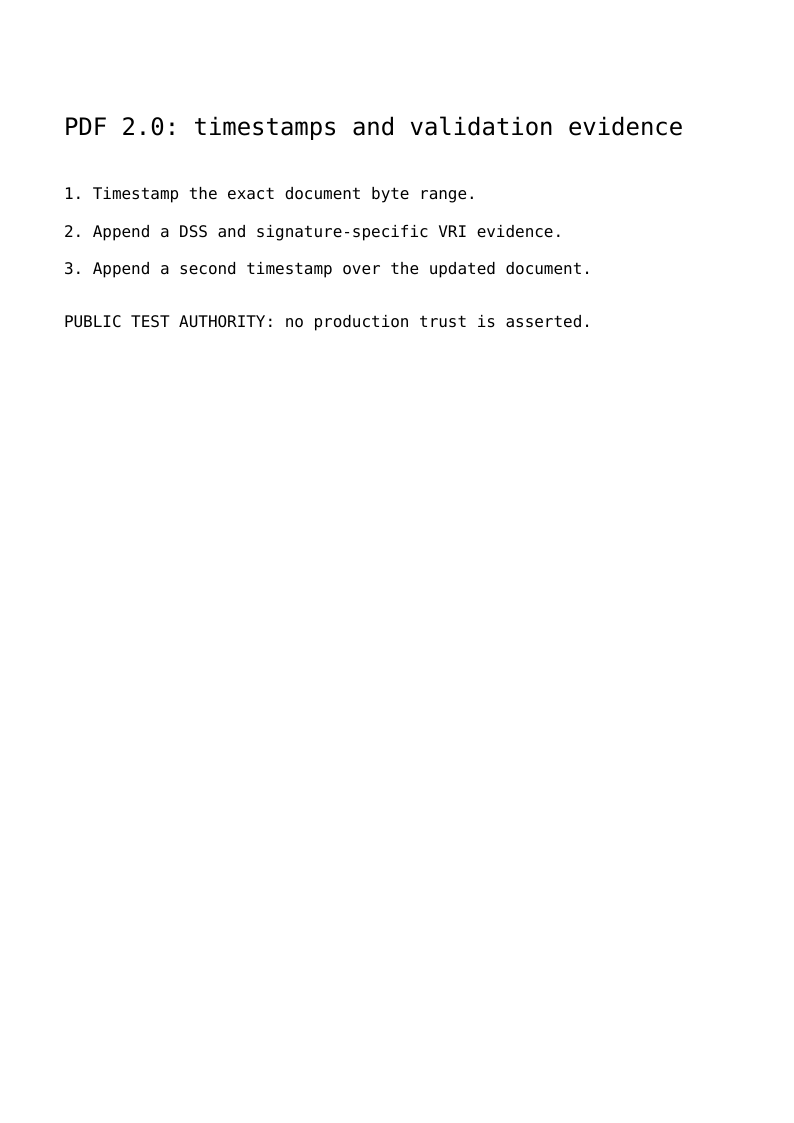
The complete script writes a readable PDF with two genuine RFC3161 document timestamps. Between them it appends certificate evidence in a Document Security Store (DSS) and signature-specific Validation Related Information (VRI). The visible page lists these steps; the evidence lives in PDF objects and signed historical byte ranges.
The demonstration authority operates offline with a public test key. Its mathematical signatures are real, but its identity and local clock are not a trusted timestamp service. Applications explicitly choose a provider and the certificate, time and revocation policy they accept.
Run the example
From a core 0.7.1 checkout with locked development dependencies, supply the OpenSSL executable explicitly:
php examples/pdf20-timestamp-dss.php timestamps.pdf /usr/bin/openssl
The example supplies Courier through explicit metrics: FirstChar/LastChar, ASCII widths and a FontDescriptor. PDF 2.0 no longer permits omitting these entries for the fourteen standard fonts. This construction does not embed a font program; profiles requiring embedding need an explicitly embedded font.
On Windows, quote a path containing spaces. The example also accepts PDFTOOLKIT_OPENSSL instead of its second argument. It does not fetch a certificate, private key, revocation response or timestamp over the network.
Prepare the first document timestamp
PendingDocumentTimestamp is distinct from PendingSignature. It owns /Type /DocTimeStamp, /SubFilter /ETSI.RFC3161, /ByteRange and the reserved /Contents. Its exact indirect identity is connected to one SignatureField in the AcroForm.
$pending = new PendingDocumentTimestamp(new SignatureCapacity(8192));
$field = new SignatureField(
    new PartialFieldName(new TextString('FirstTimestamp')),
    value: new IndirectReference($pending),
);
SignatureWriter prepares the complete file range. Rfc3161TimestampBackend hashes those covered bytes and constructs a TimestampRequest with the message imprint and a nonce. The provider receives that request rather than the complete PDF. Before inserting the returned token, the backend verifies its imprint, nonce, policy when requested, CMS signature and binding to the selected authority certificate. The certificate must have the timestamping extended key usage.
LocalTimestampAuthority receives the executable, certificate chain, private key, serial source and policy OID explicitly. A production integration can implement TimestampTokenProvider without changing the PDF dictionary or byte-range mechanism.
Append validation data in another revision
The first timestamp signs the original file. Its VRI must therefore be added in a later incremental revision, after a successful validation decision:
$information = new ValidationRelatedInformation(
    $first,
    $policy,
    certificates: $references,
);
$store = new DocumentSecurityStore(
    certificates: $references,
    validation: $information,
);
SignatureValidationEvidence is the application's explicit policy boundary. The example's policy verifies the public fixture mathematically. A production policy must also establish its required certificate trust, validity time and revocation facts. Embedding a certificate does not establish those facts.
ValidationDataStream stores supplied DER bytes; ValidationDataReferences associates indirect evidence with its kind. DSS supports certificate, CRL and OCSP arrays. VRI references the corresponding evidence already present in those DSS arrays. Its key is the uppercase SHA-1 of the earlier signature's actual /Contents, including the reserved padding. It is not the hash of the unpadded CMS token or the whole document.
The writer checks actual frozen historical bytes and rejects a VRI without a matching earlier completed signature. It also rejects mismatched evidence kinds and VRI evidence absent from the document-wide store. The catalog change is staged explicitly with IndirectObject and the existing catalog identifier; the previous bytes remain intact.
Seal the appended evidence
The script appends a second timestamp field to the effective AcroForm, then prepares and signs a third revision. This timestamp covers the earlier document, first timestamp and DSS/VRI update. The first timestamp still validates its original prefix; it does not retroactively cover the added evidence.
ISO 32000-2 permits document timestamps and DSS to be ignored when evaluating DocMDP restrictions. The native P1 exception requires a strict comparison of the maintenance revision: it cannot hide page, content, widget or ordinary-signature changes. FieldMDP restrictions and additional field locks remain binding. The independent validator separately exercises certified P1 histories; the visible example concentrates on the three evidence-preservation steps.
Verify historical bytes independently
tools/validate_pdf20_timestamps.py validates every signed historical prefix with pyHanko and OpenSSL. It checks actual RFC3161 message imprints, CMS signatures, ESS certificate identifiers, VRI keys and evidence references. The matrix includes classic, stream and hybrid cross-references, linearized output, clear/R=6/R=7 files, PDF MAC and certified histories.
python tools/validate_pdf20_timestamps.py \
  --php php --qpdf qpdf --openssl /usr/bin/openssl \
  --work-dir /tmp/pdf20-timestamps
The pinned validation dependencies belong to development tooling. None becomes a Composer production dependency. Checking the file syntax or last signature alone would not verify the complete history or the application's trust policy.
References
ISO 32000-2:2020 clauses 12.8.4 and 12.8.5 describe DSS/VRI and document timestamps; physical page 606 states their DocMDP treatment. The retained main standard and the bundle catalogue identify the supplied PDF Association source and its correction collection. TimestampRequest, TimestampResponse and TimestampToken model RFC3161 data explicitly.
Tutorial path · Modern signatures · Bundle guide
View the PDF result
This file was generated with the code in this documentation. All pages appear below; open the PDF to use its links and bookmarks.
Use the browser PDF viewer
This viewer depends on your browser. If the document does not appear, use “Open the PDF” or “Download”.
Complete source code
Code from roukmoute/pdf · View the source at the documented commit ↗
Read the commented script: pdf20-timestamp-dss.php
<?php

declare(strict_types=1);

use PDF\Document\Forms\AcroForm;
use PDF\Document\Forms\FieldTree;
use PDF\Document\Forms\PartialFieldName;
use PDF\Document\Forms\SignatureField;
use PDF\Document\ResourceDictionary;
use PDF\Document\Resources\Font;
use PDF\Document\Signatures\DocumentSecurityStore;
use PDF\Document\Signatures\PendingDocumentTimestamp;
use PDF\Document\Signatures\PreparedSignature;
use PDF\Document\Signatures\Rfc3161TimestampBackend;
use PDF\Document\Signatures\SignatureCapacity;
use PDF\Document\Signatures\SignatureValidationEvidence;
use PDF\Document\Signatures\SignatureVerificationInput;
use PDF\Document\Signatures\SignedRevision;
use PDF\Document\Signatures\TimestampSerialSequence;
use PDF\Document\Signatures\ValidationDataKind;
use PDF\Document\Signatures\ValidationDataReferences;
use PDF\Document\Signatures\ValidationDataStream;
use PDF\Document\Signatures\ValidationRelatedInformation;
use PDF\FileStructure;
use PDF\Security\CertificateChain;
use PDF\Security\LocalTimestampAuthority;
use PDF\Security\OpenSslTimestampTokenVerifier;
use PDF\Security\X509Certificate;
use PDF\Serialization\SignatureWriter;
use PDF\Syntax\ContentStreamsResources\ContentStreams;
use PDF\Syntax\ContentStreamsResources\Operators as Op;
use PDF\Syntax\DataStructure\Rectangle;
use PDF\Syntax\DataStructure\TextString;
use PDF\Syntax\DocumentStructure\DocumentCatalog;
use PDF\Syntax\DocumentStructure\PageTree\PageObject;
use PDF\Syntax\DocumentStructure\PageTree\PageTreeNode;
use PDF\Syntax\FileStructure\FileBody;
use PDF\Syntax\FileStructure\FileHeader;
use PDF\Syntax\FileStructure\IncrementalUpdate;
use PDF\Syntax\Object\ArrayType;
use PDF\Syntax\Object\DictionaryObject\Entry;
use PDF\Syntax\Object\DictionaryType;
use PDF\Syntax\Object\IndirectObject;
use PDF\Syntax\Object\IndirectReference;
use PDF\Syntax\Object\NameType;
use PDF\Syntax\Object\NumericType;
use PDF\Syntax\Object\StringObject\HexadecimalString;
use PDF\Syntax\Object\StringObject\LiteralString;

require dirname(__DIR__) . '/vendor/autoload.php';

// 1. The example application explicitly selects an OFFLINE authority provider.
// Its private key and certificate are PUBLIC TEST DATA, not a trusted service.
// Set PDFTOOLKIT_OPENSSL or pass the executable as the second argument on Windows.
$fixtureBytes = file_get_contents(dirname(__DIR__) . '/tests/Fixtures/iso32000-crypto/timestamp.json');
if ($fixtureBytes === false) {
    throw new RuntimeException('The public timestamp fixture is unavailable.');
}
$fixture = json_decode($fixtureBytes, true, flags: JSON_THROW_ON_ERROR);
$certificateBytes = base64_decode($fixture['certificate'], true);
if ($certificateBytes === false) {
    throw new RuntimeException('Invalid public timestamp certificate encoding.');
}
$chain = new CertificateChain(new X509Certificate(new HexadecimalString($certificateBytes)));
$openssl = $argv[2] ?? (getenv('PDFTOOLKIT_OPENSSL') ?: throw new InvalidArgumentException('Supply the OpenSSL executable as argument two or PDFTOOLKIT_OPENSSL.'));
$authority = new LocalTimestampAuthority($openssl, $chain, $fixture['private_key'], new TimestampSerialSequence(), '1.2.3.4.1');
$backend = new Rfc3161TimestampBackend($authority, new OpenSslTimestampTokenVerifier($chain));

// 2. A document timestamp has its own /DocTimeStamp dictionary and /ETSI.RFC3161
// SubFilter. The provider receives only a message imprint and nonce. The returned
// token must authenticate that exact request and the selected authority key.
$pending = new PendingDocumentTimestamp(new SignatureCapacity(8192));
$field = new SignatureField(new PartialFieldName(new TextString('FirstTimestamp')), value: new IndirectReference($pending));
$form = new AcroForm((new FieldTree())->addRoot($field));
// PDF 2.0 requires explicit metrics and a descriptor even for standard fonts.
$font = require __DIR__ . '/fixtures/pdf20-courier-font.php';
$resources = new ResourceDictionary(new Font(new DictionaryType(new Entry(new NameType('F1'), new IndirectReference($font)))));
$content = new \PDF\Syntax\Object\StreamObject(new ContentStreams(
    new Op\BeginTextObject(),
    new Op\SetTextFontAndSize(new NameType('F1'), new NumericType(18)),
    new Op\MoveTextPosition(new NumericType(48), new NumericType(740)),
    new Op\ShowText(new LiteralString('PDF 2.0: timestamps and validation evidence')),
    new Op\SetTextFontAndSize(new NameType('F1'), new NumericType(12)),
    new Op\MoveTextPosition(new NumericType(0), new NumericType(-48)),
    new Op\ShowText(new LiteralString('1. Timestamp the exact document byte range.')),
    new Op\MoveTextPosition(new NumericType(0), new NumericType(-28)),
    new Op\ShowText(new LiteralString('2. Append a DSS and signature-specific VRI evidence.')),
    new Op\MoveTextPosition(new NumericType(0), new NumericType(-28)),
    new Op\ShowText(new LiteralString('3. Append a second timestamp over the updated document.')),
    new Op\MoveTextPosition(new NumericType(0), new NumericType(-40)),
    new Op\ShowText(new LiteralString('PUBLIC TEST AUTHORITY: no production trust is asserted.')),
    new Op\EndTextObject(),
));
$page = new PageObject(new Rectangle(new NumericType(0), new NumericType(0), new NumericType(595), new NumericType(842)), $resources, $content);
$catalog = new DocumentCatalog((new PageTreeNode())->addKid($page), new Entry(new NameType('AcroForm'), new IndirectReference($form)));
$first = (new SignatureWriter())->prepare(new FileStructure(new FileHeader('2.0'), new FileBody($catalog)), $pending)->sign($backend);

// 3. A VRI entry is permitted only after successful validation under an explicit
// caller policy. This educational policy accepts the public fixture authority
// after mathematical verification; production policies also establish trust,
// certificate validity and revocation. Merely embedding a certificate proves none.
$policy = new class ($backend, $chain) implements SignatureValidationEvidence {
    public function __construct(private Rfc3161TimestampBackend $backend, private CertificateChain $chain)
    {
    }
    public function assertSuccessful(SignedRevision $signature): void
    {
        $this->backend->verify(new SignatureVerificationInput($signature->range->coveredBytes($signature->revision->bytes), $signature->value, $signature->format, $this->chain));
    }
};
$references = new ValidationDataReferences(ValidationDataKind::Certificate, new IndirectReference(new ValidationDataStream(ValidationDataKind::Certificate, $certificateBytes)));
$information = new ValidationRelatedInformation($first, $policy, certificates: $references);
$store = new DocumentSecurityStore(certificates: $references, validation: $information);
$catalogRecord = $first->revision->binding($catalog);
$updatedCatalog = ($catalogRecord->dictionary ?? throw new LogicException('Missing catalog.'))->with(new Entry(new NameType('DSS'), new IndirectReference($store)));
$withEvidence = (new IncrementalUpdate($first->revision, new FileBody(new IndirectObject($updatedCatalog, $catalogRecord->identifier))))->toRevision();

// 4. A separate timestamp field is appended in a new revision. The earlier
// document bytes remain identical. This new seal also covers the DSS/VRI update.
$secondPending = new PendingDocumentTimestamp(new SignatureCapacity(8192));
$secondField = new SignatureField(new PartialFieldName(new TextString('SecondTimestamp')), value: new IndirectReference($secondPending));
$formRecord = $withEvidence->binding($form);
$formDictionary = $formRecord->dictionary ?? throw new LogicException('Missing AcroForm.');
$roots = $formDictionary->get('Fields');
if (!$roots instanceof ArrayType) {
    throw new LogicException('An AcroForm has its explicit field roots.');
}
$secondForm = $formDictionary->with(new Entry(new NameType('Fields'), new ArrayType(...[...$roots->items, new IndirectReference($secondField)])));
$updated = (new IncrementalUpdate($withEvidence, new FileBody(new IndirectObject($secondForm, $formRecord->identifier))))->toRevision();
$final = (new PreparedSignature($updated, $secondPending))->sign($backend);
$path = $argv[1] ?? __DIR__ . '/pdf20-timestamp-dss.pdf';
$final->writeTo($path);
echo 'PDF written to ' . $path . PHP_EOL;