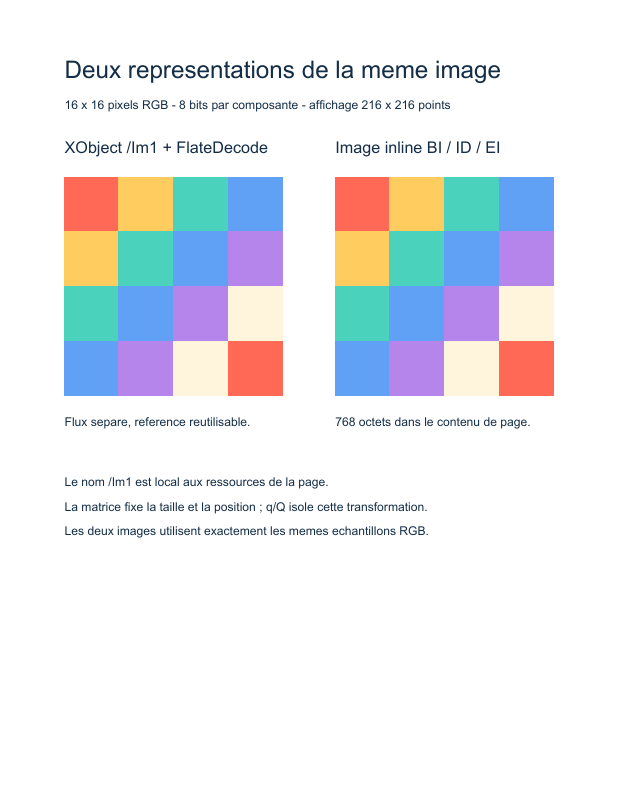
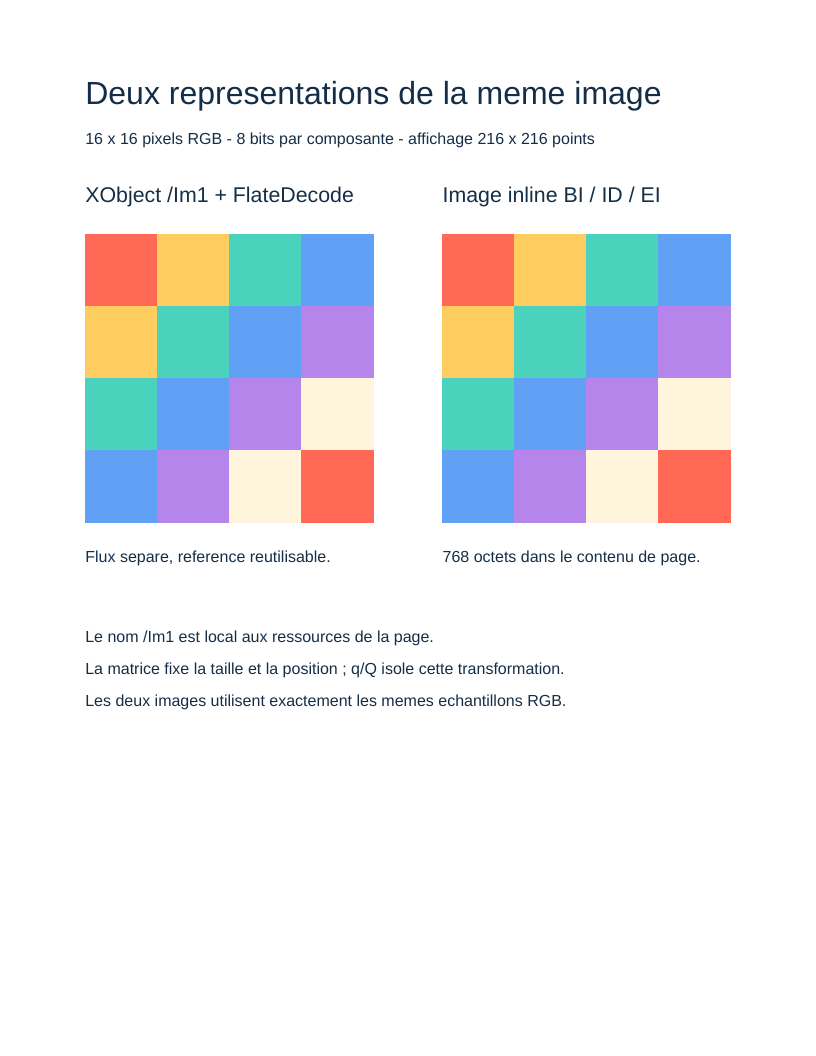
This example displays the same colored pattern side by side: a compressed image XObject referenced by the page on the left, and an inline image within the drawing instructions on the right. PHP generates the entire 16 × 16 pixel pattern; no image file or download is needed.
Run the example
From the root of a core checkout, after composer install:
php examples/images.php images.pdf
The output path is optional; it defaults to examples/images.pdf. The complete script is examples/images.php.
1. Produce the samples
$pixels contains raw RGB bytes, arranged row by row. Each pixel occupies three bytes: red, green and blue. With 16 × 16 pixels and 8 bits per component, the content measures 768 bytes. The bright palette and four-pixel blocks make enlargement easy to observe.
These data have neither a PNG nor a JPEG header. The PDF dictionary supplies their interpretation:
| Entry | PHP object | Meaning |
|---|---|---|
/Width 16 |
WidthEntry(IntegerType) |
Number of pixels in a row. |
/Height 16 |
HeightEntry(IntegerType) |
Number of rows. |
/BitsPerComponent 8 |
BitsPerComponentEntry(IntegerType) |
A component fits in one byte. |
/ColorSpace /DeviceRGB |
ColorSpaceEntry(NameType) |
Each pixel has three components. |
/Interpolate false |
InterpolateEntry(BooleanType) |
Request sharp edges when enlarged. |
These entry classes belong to Table 89 of the specification. The same immutable entry objects serve both representations.
2. Build an image XObject
ImageDictionaryTable89 adds /Type /XObject and /Subtype /Image to the pixel description. StreamObject associates this dictionary with the data; FlateDecode compresses them with zlib during serialization. The written stream then has /Filter /FlateDecode and a /Length calculated from the compressed bytes.
The filter name describes the operation the PDF reader applies to recover pixels. The script supplies uncompressed pixels to StreamObject, which performs the corresponding encoding.
$image = new StreamObject($pixels, $imageDictionary, new FlateDecode());

new XObject(new DictionaryType(
    new Entry(new NameType('Im1'), new IndirectReference($image)),
));
The page's /Resources dictionary links /Im1 to the indirect stream. InvokeXObject(new NameType('Im1')) produces /Im1 Do. The same stream can be invoked several times with different transformations without copying its pixels.
3. Set size and position
Pixel dimensions describe image content. A PDF image is painted in the unit square; the current matrix determines its size on the page.
q
216 0 0 216 64 400 cm
/Im1 Do
Q
Here ConcatenateMatrix applies scaling to 216 × 216 points, followed by translation to (64, 400). The 16 pixels are therefore enlarged. SaveGraphicsState (q) and RestoreGraphicsState (Q) enclose the transformation so that other drawings and text retain their normal coordinates.
4. Insert an inline image
InlineImage writes an instruction composed of BI, the direct dictionary, ID, the bytes and EI. It appears directly in the content stream, with no /Im1 resource or separate image object.
The example passes 768 raw bytes and declares no filter for this image. Its dictionary contains dimensions, bit depth, color and interpolation; the XObject's /Type and /Subtype entries are absent.
A second matrix places it at (332, 400) with the same size. The two patterns should therefore look identical, although their organization in the file differs.
Try it
- Reuse
/Im1with anotherInvokeXObjectand matrix to compare sizes without recreating the image stream. - Set
/Interpolatetotrueand observe the reader's interpolation decision at high magnification. - Change the palette or pattern while retaining exactly
Width × Height × 3bytes with 8 bits per RGB component. - Replacing pixels with already encoded JPEG data requires a different filter and construction; a complete PNG byte string cannot be used as raw RGB pixels.
Things to know
This example covers opaque /DeviceRGB images, without masks or color profiles. It does not provide a PNG/JPEG loader. Generated classes describe specification entries; they do not constitute an image decoder.
An inline image cannot contain a binary sequence that would be interpreted as an ambiguous EI terminator. InlineImage rejects this situation. The tutorial's palette avoids it; an image XObject suits arbitrary data and reused images.
References in ISO 32000-1:2008: 7.3.8 (streams), 7.4.4 (FlateDecode), 8.3.3 (transformations), 8.8 (XObjects), 8.9.5 and Table 89 (image dictionary), 8.9.7 (inline images).
← 5. Links · All tutorials · 7. Axial shading →
View the PDF result
This file was generated with the code in this documentation. All pages appear below; open the PDF to use its links and bookmarks.
Use the browser PDF viewer
This viewer depends on your browser. If the document does not appear, use “Open the PDF” or “Download”.
Complete source code
Code from roukmoute/pdf · View the source at the documented commit ↗
Read the commented script: images.php
<?php

declare(strict_types=1);

use PDF\Document\Fonts\StandardFont;
use PDF\Document\Fonts\Type1Font;
use PDF\Document\ResourceDictionary;
use PDF\Document\Resources\Font;
use PDF\Document\Resources\XObject;
use PDF\FileStructure;
use PDF\Graphics\CoordinateSystems\Matrix;
use PDF\Specification\Dictionary\ImageDictionaryTable89;
use PDF\Specification\Dictionary\ImageDictionaryTable89\BitsPerComponentEntry;
use PDF\Specification\Dictionary\ImageDictionaryTable89\ColorSpaceEntry;
use PDF\Specification\Dictionary\ImageDictionaryTable89\HeightEntry;
use PDF\Specification\Dictionary\ImageDictionaryTable89\InterpolateEntry;
use PDF\Specification\Dictionary\ImageDictionaryTable89\SubtypeEntry;
use PDF\Specification\Dictionary\ImageDictionaryTable89\TypeEntry;
use PDF\Specification\Dictionary\ImageDictionaryTable89\WidthEntry;
use PDF\Syntax\ContentStreamsResources\ContentStreams;
use PDF\Syntax\ContentStreamsResources\Operators\BeginTextObject;
use PDF\Syntax\ContentStreamsResources\Operators\ConcatenateMatrix;
use PDF\Syntax\ContentStreamsResources\Operators\EndTextObject;
use PDF\Syntax\ContentStreamsResources\Operators\InlineImage;
use PDF\Syntax\ContentStreamsResources\Operators\InvokeXObject;
use PDF\Syntax\ContentStreamsResources\Operators\MoveTextPosition;
use PDF\Syntax\ContentStreamsResources\Operators\RestoreGraphicsState;
use PDF\Syntax\ContentStreamsResources\Operators\SaveGraphicsState;
use PDF\Syntax\ContentStreamsResources\Operators\SetNonstrokingRGBColor;
use PDF\Syntax\ContentStreamsResources\Operators\SetTextFontAndSize;
use PDF\Syntax\ContentStreamsResources\Operators\ShowText;
use PDF\Syntax\DataStructure\Rectangle;
use PDF\Syntax\DocumentStructure\DocumentCatalog;
use PDF\Syntax\DocumentStructure\PageTree\PageObject;
use PDF\Syntax\DocumentStructure\PageTree\PageTreeNode;
use PDF\Syntax\FileStructure\FileBody;
use PDF\Syntax\FileStructure\FileHeader;
use PDF\Syntax\Filters\FlateDecode;
use PDF\Syntax\Object\BooleanType;
use PDF\Syntax\Object\DictionaryObject\Entry;
use PDF\Syntax\Object\DictionaryType;
use PDF\Syntax\Object\IndirectReference;
use PDF\Syntax\Object\IntegerType;
use PDF\Syntax\Object\NameType;
use PDF\Syntax\Object\NumericType;
use PDF\Syntax\Object\StreamObject;
use PDF\Syntax\Object\StringObject\LiteralString;

require dirname(__DIR__) . '/vendor/autoload.php';

// 1. Build pixels, not a PNG file: each pixel contains three bytes
//    R, G, B. 16 × 16 × 3 = 768 bytes, arranged row by row.
//    The palette contains no ambiguous EI terminator for the inline image.
$palette = [
    [255, 105, 85],
    [255, 204, 96],
    [74, 210, 188],
    [96, 160, 245],
    [181, 133, 235],
    [255, 245, 220],
];
$pixels = '';
for ($y = 0; $y < 16; ++$y) {
    for ($x = 0; $x < 16; ++$x) {
        $colour = $palette[(intdiv($x, 4) + intdiv($y, 4)) % count($palette)];
        $pixels .= chr($colour[0]) . chr($colour[1]) . chr($colour[2]);
    }
}

// 2. Describe samples: /Width and /Height count pixels; 8 bits per
//    component give 256 values; /DeviceRGB expects three components.
//    These entries come from specification Table 89. Interpolate=false
//    preserves the pattern's edges when enlarged.
$width = new WidthEntry(new IntegerType(16));
$height = new HeightEntry(new IntegerType(16));
$bits = new BitsPerComponentEntry(new IntegerType(8));
$colourSpace = new ColorSpaceEntry(new NameType('DeviceRGB'));
$interpolate = new InterpolateEntry(new BooleanType(false));
$imageDictionary = new ImageDictionaryTable89(
    new TypeEntry(new NameType('XObject')),
    new SubtypeEntry(new NameType('Image')),
    $width,
    $height,
    $bits,
    $colourSpace,
    $interpolate,
);

// 3. The image XObject is a separate stream referenced as /Im1 in /XObject.
//    StreamObject compresses pixels with zlib, then produces /Filter
//    /FlateDecode and /Length. Original bytes remain the starting point.
$image = new StreamObject($pixels, $imageDictionary, new FlateDecode());
$helvetica = new Type1Font(StandardFont::Helvetica);
$resources = new ResourceDictionary(
    new Font(new DictionaryType(
        new Entry(new NameType('F1'), new IndirectReference($helvetica)),
    )),
    new XObject(new DictionaryType(
        new Entry(new NameType('Im1'), new IndirectReference($image)),
    )),
);

// 4. The inline image contains its dictionary and bytes directly in
//    the content stream: InlineImage writes BI, ID and EI as one instruction.
//    It has no /Type, /Subtype or entry in /XObject resources.
//    Pixels are raw here: no /Filter is declared.
$inlineImage = new InlineImage(new DictionaryType(
    $width,
    $height,
    $bits,
    $colourSpace,
    $interpolate,
), $pixels);

// 5. A PDF image occupies the unit square. cm transforms it into a
//    216 × 216 point square and translates it. The 16 × 16 pixel resolution
//    therefore does not determine page size. q/Q enclose each cm.
$contents = new StreamObject(new ContentStreams(
    new SetNonstrokingRGBColor(new NumericType(0.08), new NumericType(0.18), new NumericType(0.28)),
    new BeginTextObject(),
    new SetTextFontAndSize(new NameType('F1'), new NumericType(24)),
    new MoveTextPosition(new NumericType(64), new NumericType(714)),
    new ShowText(new LiteralString('Deux representations de la meme image')),
    new SetTextFontAndSize(new NameType('F1'), new NumericType(12)),
    new MoveTextPosition(new NumericType(0), new NumericType(-30)),
    new ShowText(new LiteralString('16 x 16 pixels RGB - 8 bits par composante - affichage 216 x 216 points')),
    new EndTextObject(),
    new BeginTextObject(),
    new SetTextFontAndSize(new NameType('F1'), new NumericType(16)),
    new MoveTextPosition(new NumericType(64), new NumericType(640)),
    new ShowText(new LiteralString('XObject /Im1 + FlateDecode')),
    new EndTextObject(),
    new SaveGraphicsState(),
    new ConcatenateMatrix(new Matrix(
        new NumericType(216),
        new NumericType(0),
        new NumericType(0),
        new NumericType(216),
        new NumericType(64),
        new NumericType(400),
    )),
    new InvokeXObject(new NameType('Im1')),
    new RestoreGraphicsState(),
    new BeginTextObject(),
    new SetTextFontAndSize(new NameType('F1'), new NumericType(16)),
    new MoveTextPosition(new NumericType(332), new NumericType(640)),
    new ShowText(new LiteralString('Image inline BI / ID / EI')),
    new EndTextObject(),
    new SaveGraphicsState(),
    new ConcatenateMatrix(new Matrix(
        new NumericType(216),
        new NumericType(0),
        new NumericType(0),
        new NumericType(216),
        new NumericType(332),
        new NumericType(400),
    )),
    $inlineImage,
    new RestoreGraphicsState(),
    new BeginTextObject(),
    new SetTextFontAndSize(new NameType('F1'), new NumericType(12)),
    new MoveTextPosition(new NumericType(64), new NumericType(370)),
    new ShowText(new LiteralString('Flux separe, reference reutilisable.')),
    new MoveTextPosition(new NumericType(268), new NumericType(0)),
    new ShowText(new LiteralString('768 octets dans le contenu de page.')),
    new MoveTextPosition(new NumericType(-268), new NumericType(-60)),
    new ShowText(new LiteralString('Le nom /Im1 est local aux ressources de la page.')),
    new MoveTextPosition(new NumericType(0), new NumericType(-24)),
    new ShowText(new LiteralString('La matrice fixe la taille et la position ; q/Q isole cette transformation.')),
    new MoveTextPosition(new NumericType(0), new NumericType(-24)),
    new ShowText(new LiteralString('Les deux images utilisent exactement les memes echantillons RGB.')),
    new EndTextObject(),
));

// 6. Connect the page, its tree and catalog; the writer discovers indirect
//    objects and assigns their numbers from this graph.
$page = new PageObject(
    new Rectangle(new NumericType(0), new NumericType(0), new NumericType(612), new NumericType(792)),
    $resources,
    $contents,
);
$pages = (new PageTreeNode())->addKid($page);
$catalog = new DocumentCatalog($pages);
$file = new FileStructure(new FileHeader('1.7'), new FileBody($catalog), new IndirectReference($catalog));
$path = $argv[1] ?? __DIR__ . '/images.pdf';
$file->writeTo($path);
echo $path . PHP_EOL;