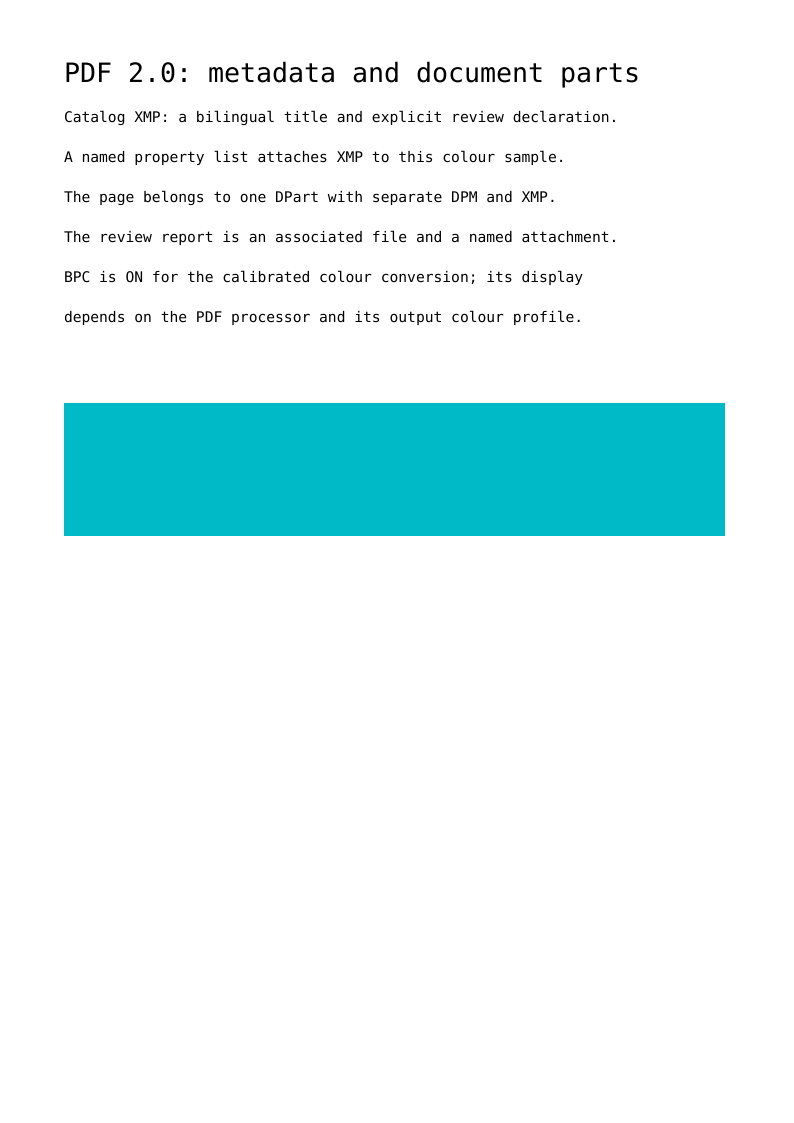
The complete script produces a PDF 2.0 file with a bilingual title, an author's declaration, an embedded report and separate metadata for the document, one document part and one drawing sequence. The coloured rectangle uses black point compensation. These values are written into the corresponding PDF objects; they are more than explanatory text on the page.
Run the example
From a core 0.7.1 checkout with its dependencies installed:
php examples/pdf20-metadata-declarations.php metadata.pdf
The example supplies Courier through explicit metrics: FirstChar/LastChar, ASCII widths and a FontDescriptor. PDF 2.0 no longer permits omitting these entries for the fourteen standard fonts. This construction does not embed a font program; profiles requiring embedding need an explicitly embedded font.
PHP 8.3 or later is sufficient. This script uses native core objects and needs no image or font converter. The preview and download below come from the actual generated file.
Construct an XMP packet with explicit values
XmpPacket serializes RDF properties into a UTF-8 XML packet. XmpName supplies
the prefix, namespace URI and local name separately; XmlText checks XML
characters and escapes text. The UTF-8 BOM in the XMP marker does not turn the
packet into a PDF text string: it is an XML stream's content.
$title = new XmpLanguageAlternative(
    new XmpName('dc', new MetadataUri('http://purl.org/dc/elements/1.1/'), 'title'),
    new XmlText('PDF 2.0 metadata and document parts'),
    new XmpLocalizedText('fr', new XmlText('Métadonnées PDF 2.0 et parties de document')),
);
$metadata = new MetadataStream(new XmpPacket($title, $review));
$catalogMetadata = new MetadataEntry($metadata);
XmpLanguageAlternative writes an rdf:Alt whose first value is x-default.
Language choices are unique even when their casing differs. MetadataStream
provides /Type /Metadata and /Subtype /XML; MetadataEntry then creates its
indirect reference. XML metadata streams have existed since PDF 1.4; this
example explicitly selects PDF 2.0 for its other mechanisms. Conflicting
properties or namespace prefixes are rejected.
Declare a document property without inventing a certification
A Declaration contains the URI identifying the claimed specification or
profile. Declarations writes the unordered pdfd:declarations array in the
exact http://pdfa.org/declarations/ namespace. Each declaration can contain
an unordered ClaimData array: claimant, explicit date, credentials and report
URL.
$review = new Declarations(new Declaration(
    new MetadataUri('https://example.org/pdf/reviewed'),
    new ClaimData(
        new XmlText('PDFToolkit example'),
        new ClaimDate('2026-10-14'),
        claimReport: new ClaimReport('#ef=review.txt'),
    ),
));
The example.org identifier describes a demonstration workflow. Having that
declaration does not prove PDF/A, PDF/UA or WTPDF conformance, and the core adds
none of those claims. DeclarationsPdfaExtensionSchema lets the caller supply
the vocabulary description required in a PDF/A context explicitly; that
description alone does not make a document PDF/A conforming.
The #ef=review.txt fragment identifies an embedded report by name. The example
supplies its bytes, MIME type and source date, adds it to Names.EmbeddedFiles
and associates it using AFRelationship /Supplement. Readers that expose
attachments can therefore discover the report. URIs and filenames cause no
external loading.
Give each metadata stream its owner
The catalog declaration applies to the document; it does not extend to embedded or referenced files. The document part's XMP stream describes that part, while another stream describes only the rectangle's drawing sequence. The three streams retain distinct identities and vocabularies.
The drawing sequence uses a MetadataPropertyList under
Resources.Properties.ColourInfo, followed by /Sample /ColourInfo BDC ... EMC.
The named list keeps its indirect XML stream reference outside content-stream
syntax. A Metadata property written directly inside a content operand is
rejected. References are resolved against the actual owner's resources,
including when the content belongs to an already emitted revision.
MetadataResourceLocation also expresses the application note's locations:
embedded font program rather than font descriptor, tiling-pattern stream,
shading dictionary rather than its pattern wrapper, structure element,
annotation, optional-content group or 3D stream. The application chooses the
location because it knows which information resource the metadata describes.
Separate DPM, document parts and graphics state
The DocumentPart contains a DocumentPartMetadata dictionary with Job
(Proof 42) and an XMP stream under Metadata. DPM and XMP are separate
mechanisms. DPM holds typed application data; its keys and level names follow
XML Name syntax. Its values are text/date strings, arrays, dictionaries,
booleans and numbers.
DocumentPartRoot links the catalog to the node. The page refers to its part
through DocumentPartEntry; setPageRange() then sets that same page as the
range. The hierarchy builder manages parent links. Graph validation checks
reciprocal references, page order, nonoverlapping ranges, page coverage and
declared levels. DPM is not implicitly inherited from a parent.
Finally, UseBlackPointCompensation(BlackPointCompensation::On) writes
UseBlackPtComp /ON into a GraphicsStateParameters resource selected by gs.
The other two exact values are /OFF and /Default. The rectangle uses a
CalRGB colour space; compensation participates in CIE colour conversions
performed by a PDF 2.0 processor. Its appearance depends on the output profile
and viewer, and /Default leaves the choice to them.
Inspect the evidence and sources
tools/validate_pdf20_metadata.py checks XML with an independent parser and uses
pypdf to inspect RDF arrays, AF and DPart identities, MIME types and source
dates, BPC state and content operators. qpdf checks the file. Native tests cover
invalid XML characters, impossible dates, missing properties and inconsistent
incremental replacements. Rendering checks the visible page separately.
The packet constructor does not parse user-supplied XML. An application that manually constructs a raw XML stream remains responsible for its content; the graph validates its references and PDF type. This lesson is not a general validator for every ISO 32000-2 rule.
Preserved sources: PDF Declarations, pages 7–10, black point compensation, page 4, associated files, pages 7 and 12–13 and metadata locations, pages 4–10. Document parts are defined in ISO 32000-2, physical pages 850–853. The bundle comes from the PDF Association's sponsored access.
View the PDF result
This file was generated with the code in this documentation. All pages appear below; open the PDF to use its links and bookmarks.
Use the browser PDF viewer
This viewer depends on your browser. If the document does not appear, use “Open the PDF” or “Download”.
Complete source code
Code from roukmoute/pdf · View the source at the documented commit ↗
Read the commented script: pdf20-metadata-declarations.php
<?php

declare(strict_types=1);

use PDF\Document\Files as Files;
use PDF\Document\Metadata as Metadata;
use PDF\Document\Metadata\Declarations as Declarations;
use PDF\Document\Parts as Parts;
use PDF\Document\ResourceDictionary;
use PDF\Document\Resources;
use PDF\FileStructure;
use PDF\Graphics\ColourSpaces\CalRGB;
use PDF\Graphics\ColourSpaces\WhitePoint;
use PDF\Graphics\GraphicsState\BlackPointCompensation;
use PDF\Graphics\GraphicsState\GraphicsStateParameters;
use PDF\Graphics\GraphicsState\UseBlackPointCompensation;
use PDF\Syntax\ContentStreamsResources\ContentStreams;
use PDF\Syntax\ContentStreamsResources\Operators as Op;
use PDF\Syntax\DataStructure\Date;
use PDF\Syntax\DataStructure\Rectangle;
use PDF\Syntax\DataStructure\TextString;
use PDF\Syntax\DocumentStructure\DocumentCatalog;
use PDF\Syntax\DocumentStructure\PageTree\PageObject;
use PDF\Syntax\DocumentStructure\PageTree\PageTreeNode;
use PDF\Syntax\FileStructure\FileBody;
use PDF\Syntax\FileStructure\FileHeader;
use PDF\Syntax\Filters\FlateDecode;
use PDF\Syntax\Object\DictionaryObject\Entry;
use PDF\Syntax\Object\DictionaryType;
use PDF\Syntax\Object\IndirectReference;
use PDF\Syntax\Object\IntegerType;
use PDF\Syntax\Object\NameType;
use PDF\Syntax\Object\NumericType;
use PDF\Syntax\Object\StreamObject;
use PDF\Syntax\Object\StringObject\LiteralString;

require dirname(__DIR__) . '/vendor/autoload.php';

// PDF Declarations are explicit author assertions. This demonstration identifier
// asserts a local review workflow; it does not claim PDF/A, PDF/UA or WTPDF conformance.
$review = new Declarations\Declarations(new Declarations\Declaration(
    new Metadata\MetadataUri('https://example.org/pdf/reviewed'),
    new Declarations\ClaimData(new Metadata\XmlText('PDFToolkit example'), new Declarations\ClaimDate('2026-10-14'), claimReport: new Declarations\ClaimReport('#ef=review.txt')),
));
$title = new Metadata\XmpLanguageAlternative(new Metadata\XmpName('dc', new Metadata\MetadataUri('http://purl.org/dc/elements/1.1/'), 'title'), new Metadata\XmlText('PDF 2.0 metadata and document parts'), new Metadata\XmpLocalizedText('fr', new Metadata\XmlText('Métadonnées PDF 2.0 et parties de document')));
$documentMetadata = new Metadata\MetadataStream(new Metadata\XmpPacket($title, $review));
// Object-level declarations remain separate: the catalog claim does not extend
// to this embedded report. Names/EmbeddedFiles makes the report easy to discover.
$report = new Files\EmbeddedFileStream("Example review report. This is not a certification.\n", new NameType('text/plain'), modificationDate: new Date(new DateTimeImmutable('2026-10-14T00:00:00Z')), filters: new FlateDecode());
$reportFile = new Files\FileSpecification(new LiteralString('review.txt'), new Files\FileSpecificationOptions(embedded: new Files\EmbeddedFileBindings(new Files\EmbeddedFileBinding(Files\EmbeddedFileKey::File, $report))), new Files\AssociatedFileRelationship(Files\AFRelationship::Supplement));
$attachments = new Files\EmbeddedFiles(new Files\EmbeddedFileAttachment(new LiteralString('review.txt'), $reportFile));
$associated = new Files\AssociatedFiles(new IndirectReference($reportFile));

// DPM is a typed PDF dictionary describing a workflow. Metadata is a different,
// XMP stream entry. Both may coexist on the same document-part node.
$part = new Parts\DocumentPart(new Parts\DocumentPartMetadata(new Entry(new NameType('Job'), new TextString('Proof 42'))), new Metadata\MetadataEntry(new Metadata\MetadataStream(new Metadata\XmpPacket(new Metadata\XmpTextProperty(new Metadata\XmpName('job', new Metadata\MetadataUri('urn:example:job'), 'description'), new Metadata\XmlText('One-page proof'))))), new Files\AssociatedFilesEntry($associated));
$partRoot = new Parts\DocumentPartRoot($part, new IntegerType(0), new NameType('Proof'));
$sequenceMetadata = new Metadata\MetadataStream(new Metadata\XmpPacket(new Metadata\XmpTextProperty(new Metadata\XmpName('sample', new Metadata\MetadataUri('urn:example:sample'), 'purpose'), new Metadata\XmlText('Calibrated colour demonstration'))));
$state = new GraphicsStateParameters(new UseBlackPointCompensation(BlackPointCompensation::On));
// PDF 2.0 requires explicit metrics and a descriptor even for standard fonts.
$font = require __DIR__ . '/fixtures/pdf20-courier-font.php';
$resources = new ResourceDictionary(
    new Resources\Font(new DictionaryType(new Entry(new NameType('F1'), new IndirectReference($font)))),
    new Resources\ExtGState(new DictionaryType(new Entry(new NameType('BpcOn'), new IndirectReference($state)))),
    new Resources\ColorSpace(new DictionaryType(new Entry(new NameType('Calibrated'), new CalRGB(new WhitePoint(new NumericType(0.9505), new NumericType(1), new NumericType(1.089)))))),
    new Resources\Properties(new DictionaryType(new Entry(new NameType('ColourInfo'), new Metadata\MetadataPropertyList($sequenceMetadata)))),
);
$operators = [];
foreach (['PDF 2.0: metadata and document parts', 'Catalog XMP: a bilingual title and explicit review declaration.', 'A named property list attaches XMP to this colour sample.', 'The page belongs to one DPart with separate DPM and XMP.', 'The review report is an associated file and a named attachment.', 'BPC is ON for the calibrated colour conversion; its display', 'depends on the PDF processor and its output colour profile.'] as $index => $line) {
    $operators[] = new Op\BeginTextObject();
    $operators[] = new Op\SetTextFontAndSize(new NameType('F1'), new NumericType($index === 0 ? 20 : 11));
    $operators[] = new Op\MoveTextPosition(new NumericType(48), new NumericType(780 - 30 * $index));
    $operators[] = new Op\ShowText(new LiteralString($line));
    $operators[] = new Op\EndTextObject();
}
$operators = [...$operators, new Op\SaveGraphicsState(), new Op\BeginMarkedContentWithProperties(new NameType('Sample'), new NameType('ColourInfo')), new Op\SetGraphicsStateParameters(new NameType('BpcOn')), new Op\SetNonstrokingColorSpace(new NameType('Calibrated')), new Op\SetNonstrokingColor(new NumericType(0.1), new NumericType(0.3), new NumericType(0.6)), new Op\AppendRectangle(new NumericType(48), new NumericType(440), new NumericType(496), new NumericType(100)), new Op\FillPathNonzero(), new Op\EndMarkedContent(), new Op\RestoreGraphicsState()];
$page = new PageObject(new Rectangle(new NumericType(0), new NumericType(0), new NumericType(595), new NumericType(842)), $resources, new StreamObject(new ContentStreams(...$operators), filters: new FlateDecode()), new Parts\DocumentPartEntry($part));
$pages = (new PageTreeNode())->addKid($page);
$part->setPageRange($page);
$catalog = new DocumentCatalog($pages, new Metadata\MetadataEntry($documentMetadata), $partRoot->catalogEntry(), new Files\AssociatedFilesEntry($associated), new Entry(new NameType('Names'), new DictionaryType($attachments->nameDictionaryEntry())));
$output = $argv[1] ?? __DIR__ . '/pdf20-metadata-declarations.pdf';
(new FileStructure(new FileHeader('2.0'), new FileBody($catalog)))->writeTo($output);
echo $output . PHP_EOL;