The complete script creates two documents: a password-protected PDF and an unencrypted PDF 2.0 wrapper embedding it. The wrapper's page explains how to access the content; its collection identifies which file to open. The embedded content is actually encrypted before insertion.
Run the example
From a core 0.7.1 checkout, with PHP 8.3 or later and OpenSSL:
php examples/pdf20-encrypted-payload.php wrapper.pdf
The example supplies Courier through explicit metrics: FirstChar/LastChar, ASCII widths and a FontDescriptor. PDF 2.0 no longer permits omitting these entries for the fourteen standard fonts. This construction does not embed a font program; profiles requiring embedding need an explicitly embedded font.
The demonstration reader password is demo-reader. It appears on the page
and in the source so the downloaded PDF can be inspected. It is unsuitable for
a confidential document. SystemRandomSource supplies keys, salts and
initialization vectors.
Encrypt the actual document before embedding it
ModernStandardSecurityHandler constructs an explicit encryption operation
from prepared passwords, PDF 2.0 permissions and the metadata-encryption choice.
The example uses R=6 with AES-256-CBC. FileWriter receives that operation and
writes the encryption dictionary and the inner PDF's encrypted strings and
streams.
$security = (new ModernStandardSecurityHandler(
    new OpenSslAes256Backend(),
    new SystemRandomSource(),
))->create(
    new PreparedPassword('demo-reader'),
    new PreparedPassword('demo-owner'),
    new Pdf20Permissions(-4),
    new EncryptMetadata(true),
);
$encryptedBytes = (new FileWriter(encryption: $security))->serialize($inner);
The demonstration's ASCII values are already prepared. PreparedPassword
represents that explicit choice; its constructor does not normalize an
arbitrary password. An application's Unicode inputs must follow the selected
handler's preparation contract. The inner PDF also receives its explicit
trailer file identifier.
EmbeddedFileStream then receives the encrypted PDF's bytes, the
application/pdf MIME type and its source date. The wrapper's Flate filter
compresses those bytes; it does not replace their encryption. Adding only an
EncryptedPayload name to clear bytes would provide no protection.
Describe the payload and connect its references
The file specification contains EF, AFRelationship /EncryptedPayload and
the EP dictionary:
$descriptor = new EncryptedPayload(new NameType('Standard'));
$specification = new FileSpecification(
    new LiteralString('payload.pdf'),
    $options,
    new AssociatedFileRelationship(AFRelationship::EncryptedPayload),
    encryptedPayload: $descriptor,
);
EP.Subtype /Standard identifies the handler actually used by the embedded PDF.
EP.Version is an optional version name, distinct from a PDF real number; none
is added here. EncryptedPayload describes how to access a file. It does not
invent an algorithm or encrypt its data.
The same indirect file specification appears in Names.EmbeddedFiles and in
the catalog's AF array. Its name-tree key is payload.pdf. The wrapper
contains exactly one file in that tree, as required by the unencrypted-wrapper
mechanism.
Select the content while keeping instructions readable
Collection(view: CollectionView::Hidden, initialDocument: ...) writes
View /H and D (payload.pdf). D repeats the name-tree key, rather than a
disk path or an arbitrary reference. The catalog explicitly links the
collection, names and AF association.
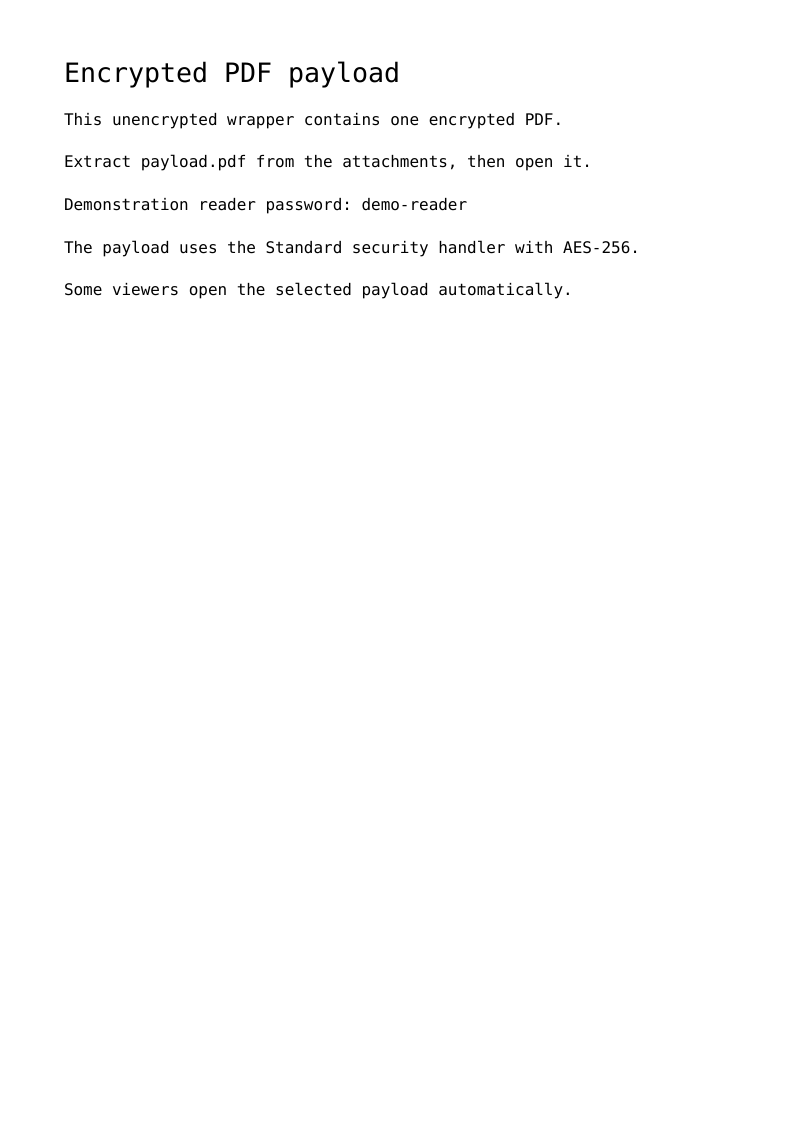
The wrapper itself is written without an encryption operation. Its page therefore remains readable to a processor unable to open the embedded content. A capable processor may open the selected document automatically; other viewers show the instructions and their attachment panel. The example also explains manual extraction.
The effective graph validates these relationships for complete and incremental
writes: EP descriptor, embedded file, unique name entry, D selection, hidden
view and absence of wrapper encryption. Removing a required relationship or
replacing the collection with an inconsistent selection fails the operation.
Verify both levels independently
The preview below renders the wrapper, not the decrypted content. Download
the PDF, extract payload.pdf and open it with demo-reader to view the inner
page. Downloading does not execute any attachment.
tools/validate_pdf20_metadata.py uses pypdf to inspect the wrapper, locate the
exact same file in the name tree and AF, extract its bytes and check its R=6
dictionary. It decrypts the file with qpdf, then reads the decrypted page text.
Native tests also exercise inconsistent wrappers and incremental changes;
successfully rendering the wrapper alone would not demonstrate inner
encryption.
Preserved sources: ISO 32000-2, physical pages 109–110 for the wrapper and table 28; file specifications, pages 149–152; and associated-files application note, page 10, §4.1.5. The bundle comes from the PDF Association's sponsored access.
Tutorial path · Metadata and document parts
View the PDF result
This file was generated with the code in this documentation. All pages appear below; open the PDF to use its links and bookmarks.
Use the browser PDF viewer
This viewer depends on your browser. If the document does not appear, use “Open the PDF” or “Download”.
Complete source code
Code from roukmoute/pdf · View the source at the documented commit ↗
Read the commented script: pdf20-encrypted-payload.php
<?php

declare(strict_types=1);

use PDF\Document\Collections\Collection;
use PDF\Document\Collections\CollectionView;
use PDF\Document\Files as Files;
use PDF\Document\ResourceDictionary;
use PDF\Document\Resources\Font;
use PDF\FileStructure;
use PDF\Security as Security;
use PDF\Serialization\FileWriter;
use PDF\Syntax\ContentStreamsResources\ContentStreams;
use PDF\Syntax\ContentStreamsResources\Operators as Op;
use PDF\Syntax\DataStructure\Date;
use PDF\Syntax\DataStructure\Rectangle;
use PDF\Syntax\DocumentStructure\DocumentCatalog;
use PDF\Syntax\DocumentStructure\PageTree\PageObject;
use PDF\Syntax\DocumentStructure\PageTree\PageTreeNode;
use PDF\Syntax\FileStructure\FileBody;
use PDF\Syntax\FileStructure\FileHeader;
use PDF\Syntax\Filters\FlateDecode;
use PDF\Syntax\Object\ArrayType;
use PDF\Syntax\Object\DictionaryObject\Entry;
use PDF\Syntax\Object\DictionaryType;
use PDF\Syntax\Object\IndirectReference;
use PDF\Syntax\Object\NameType;
use PDF\Syntax\Object\NumericType;
use PDF\Syntax\Object\StringObject\HexadecimalString;
use PDF\Syntax\Object\StringObject\LiteralString;

require dirname(__DIR__) . '/vendor/autoload.php';

// The content helper creates ordinary explicit PDF page/font/operator objects.
$createPage = static function (string ...$lines): PageTreeNode {
    // Each explicit page construction supplies complete PDF 2.0 font metrics.
    $font = require __DIR__ . '/fixtures/pdf20-courier-font.php';
    $resources = new ResourceDictionary(new Font(new DictionaryType(new Entry(new NameType('F1'), new IndirectReference($font)))));
    $operators = [];
    foreach (array_values($lines) as $index => $line) {
        $operators[] = new Op\BeginTextObject();
        $operators[] = new Op\SetTextFontAndSize(new NameType('F1'), new NumericType($index === 0 ? 20 : 12));
        $operators[] = new Op\MoveTextPosition(new NumericType(48), new NumericType(780 - 32 * $index));
        $operators[] = new Op\ShowText(new LiteralString($line));
        $operators[] = new Op\EndTextObject();
    }
    return (new PageTreeNode())->addKid(new PageObject(new Rectangle(new NumericType(0), new NumericType(0), new NumericType(595), new NumericType(842)), $resources, new \PDF\Syntax\Object\StreamObject(new ContentStreams(...$operators))));
};
// This is a real encrypted PDF, not an EP label on clear bytes. Demo passwords
// are intentionally public. File keys, salts and IVs come from SystemRandomSource.
$random = new Security\SystemRandomSource();
$security = (new Security\ModernStandardSecurityHandler(new Security\OpenSslAes256Backend(), $random))->create(new Security\PreparedPassword('demo-reader'), new Security\PreparedPassword('demo-owner'), new Security\Pdf20Permissions(-4), new Security\EncryptMetadata(true));
$identifier = new HexadecimalString($random->bytes(16));
$inner = new FileStructure(new FileHeader('2.0'), new FileBody(new DocumentCatalog($createPage('Encrypted payload', 'This text becomes available after password authentication.'))), trailerEntries: new DictionaryType(new Entry(new NameType('ID'), new ArrayType($identifier, $identifier))));
$encryptedBytes = (new FileWriter(encryption: $security))->serialize($inner);
$payload = new Files\EmbeddedFileStream($encryptedBytes, new NameType('application/pdf'), modificationDate: new Date(new DateTimeImmutable('2026-10-14T00:00:00Z')), filters: new FlateDecode());
$specification = new Files\FileSpecification(new LiteralString('payload.pdf'), new Files\FileSpecificationOptions(embedded: new Files\EmbeddedFileBindings(new Files\EmbeddedFileBinding(Files\EmbeddedFileKey::File, $payload))), new Files\AssociatedFileRelationship(Files\AFRelationship::EncryptedPayload), encryptedPayload: new Files\EncryptedPayload(new NameType('Standard')));
$attachments = new Files\EmbeddedFiles(new Files\EmbeddedFileAttachment(new LiteralString('payload.pdf'), $specification));
$collection = new Collection(view: CollectionView::Hidden, initialDocument: new LiteralString('payload.pdf'));
// ISO 32000-2 7.6.7 requires exactly one EmbeddedFiles entry, a catalog AF
// association and a hidden collection selecting that same name. The wrapper
// stays unencrypted so a processor can display these instructions.
$catalog = new DocumentCatalog($createPage('Encrypted PDF payload', 'This unencrypted wrapper contains one encrypted PDF.', 'Extract payload.pdf from the attachments, then open it.', 'Demonstration reader password: demo-reader', 'The payload uses the Standard security handler with AES-256.', 'Some viewers open the selected payload automatically.'), new Entry(new NameType('Names'), new DictionaryType($attachments->nameDictionaryEntry())), new Files\AssociatedFilesEntry(new Files\AssociatedFiles(new IndirectReference($specification))), $collection->catalogEntry());
$output = $argv[1] ?? __DIR__ . '/pdf20-encrypted-payload.pdf';
(new FileStructure(new FileHeader('2.0'), new FileBody($catalog)))->writeTo($output);
echo $output . PHP_EOL;